Wave Accounting for Beginners (2026 Update): A Complete Guide
If you’re a new business owner trying to figure out bookkeeping, there’s a good chance you’ve heard the same advice over and over: “Just get QuickBooks.” That recommendation isn’t wrong. QuickBooks is still the industry standard and one of the most robust accounting platforms available. But it’s also become increasingly expensive, especially for small businesses that are just getting started. Once you factor in monthly subscriptions, payroll add-ons, and extra features, the cost can easily climb into the $100–$200 per month range.
That’s why this updated 2026 course focuses on Wave Accounting. Wave remains one of the most practical budget-friendly bookkeeping tools available, particularly for small service businesses, freelancers, and early-stage real estate investors. In its free starter plan, Wave gives you the core features needed to track income, expenses, invoices, and financial reports without requiring a monthly software subscription.
This article expands on the course video and walks through the concepts behind the walkthrough. The goal is to help you understand not just how to click through Wave, but how to think about your bookkeeping in a structured and sustainable way.
Who this guide is for
This course and companion article are designed for small business owners who want a straightforward way to manage their books. If you run a service-based business with fewer than about one hundred transactions per month, Wave can be a very reasonable starting point. It’s also a workable option for real estate investors with a small number of properties who need basic financial tracking.
Wave is not perfect for every situation. Businesses with inventory, complex job costing, or high transaction volume will eventually outgrow it. But for many entrepreneurs, it offers a simple entry point into proper bookkeeping without the cost barrier of more advanced platforms.
The Maple Street Rentals LLC example used throughout the course is meant to provide a realistic scenario. While the workflows shown are simplified for teaching purposes, they illustrate the core bookkeeping mechanics that apply across industries.
Why bookkeeping matters more than software
Before diving into the software itself, it’s important to understand that bookkeeping is not just about recording transactions. It’s about creating reliable financial data that you can use to make decisions.
Clean books help you understand whether your business is profitable. They make tax preparation smoother. They give lenders and partners confidence in your numbers. They also reduce stress, because you’re not scrambling at the end of the year trying to reconstruct months of financial activity.
Software like Wave is simply a tool that helps you maintain that structure. When used consistently, it becomes the central hub for your business finances.
Understanding Wave’s free and paid plans
Wave offers two main versions: a free starter plan and a paid pro plan. The free plan includes core bookkeeping functionality such as transaction tracking, invoicing, and reporting. It’s essentially a streamlined accounting system that can replace spreadsheets while giving you access to financial statements and reconciliation tools.
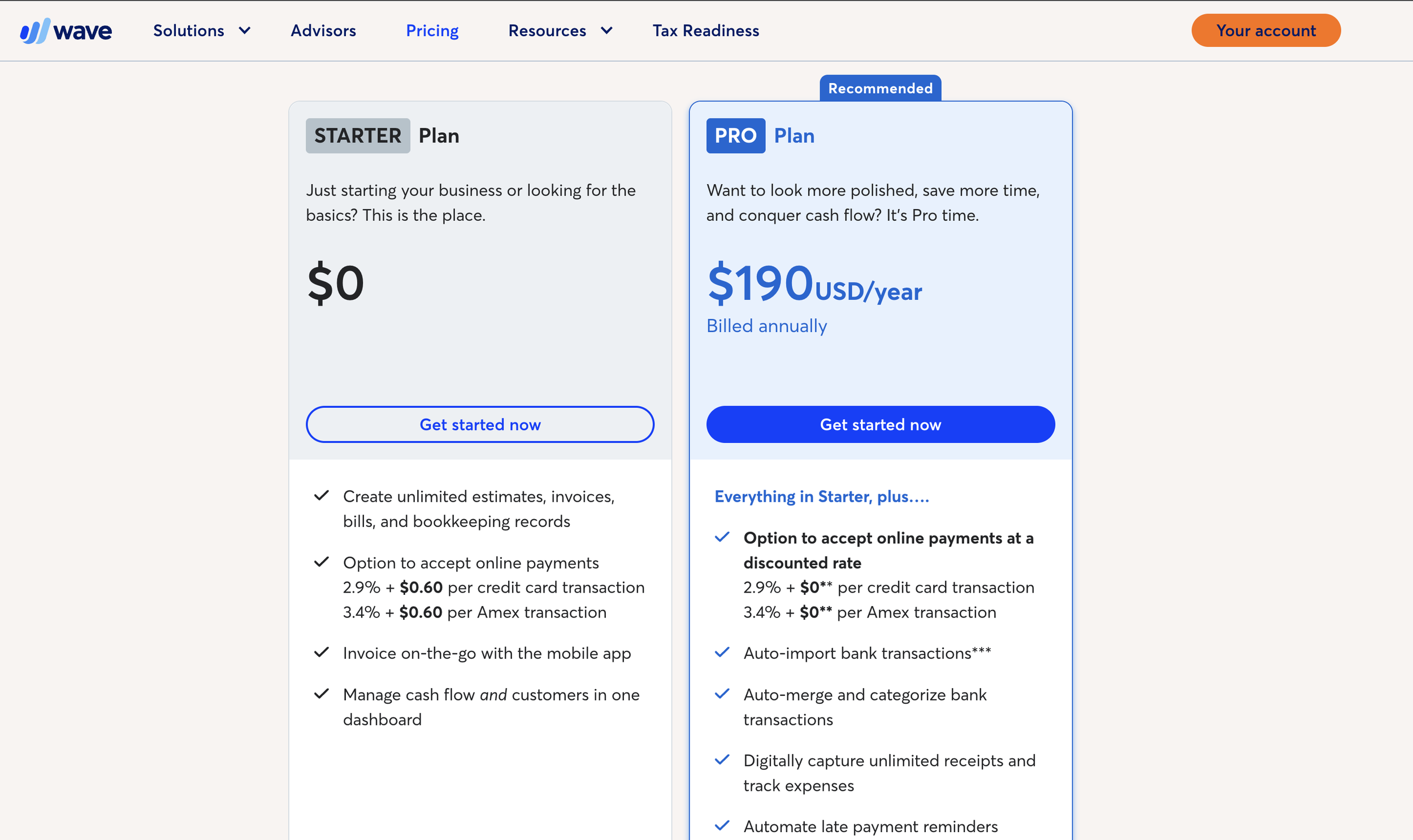
The pro plan adds features like automatic bank feeds, receipt capture, and more automation. For many business owners, the free plan is enough to get started. If you want bank transactions to import automatically or if you plan to collaborate with a bookkeeper regularly, upgrading to the pro version can save time.
Setting up your business in Wave
The first step in using Wave is creating your account and setting up your business profile. During setup, Wave asks about your industry and business structure. This information helps generate a starting chart of accounts.
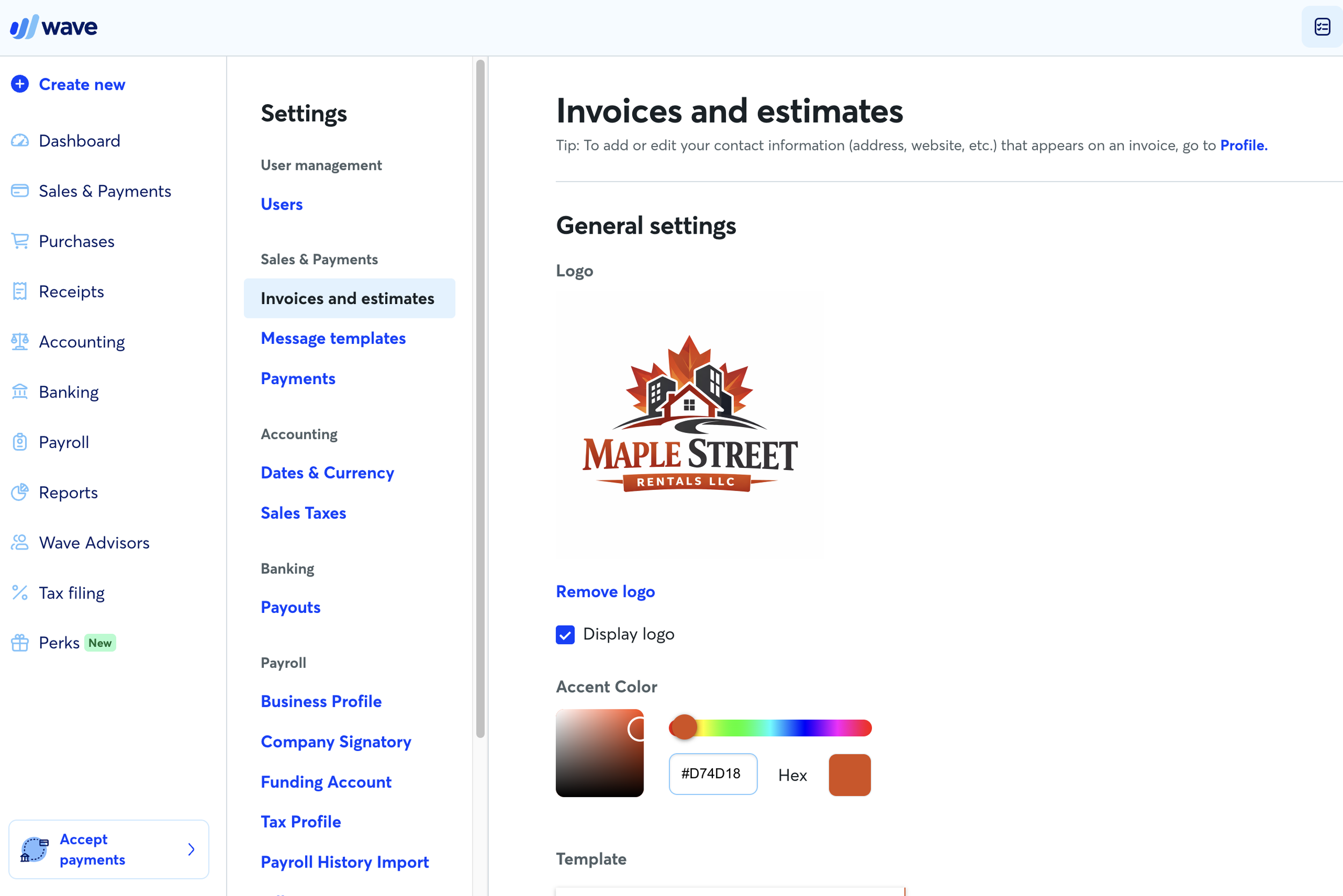
In the course example, we create Maple Street Rentals LLC as a small rental business. This allows us to walk through real-world bookkeeping scenarios such as recording rent income, tracking expenses, and reviewing reports. Even if your business is not in real estate, the same setup principles apply.
Once your business profile is created, you’ll see the dashboard. The dashboard provides an overview of cash flow, profit and loss, and outstanding invoices or bills. At first, it may look empty or incomplete. That’s normal. As transactions are added and categorized, the dashboard becomes more informative.
The chart of accounts: the backbone of your books
The chart of accounts is one of the most important elements of your bookkeeping system. It’s essentially the list of categories used to organize your transactions.
Accounts fall into several main groups: assets, liabilities, equity, income, and expenses. These categories reflect the basic accounting equation: assets equal liabilities plus equity. Every transaction affects at least two accounts, keeping the system balanced.
You don’t need to master accounting theory to use Wave effectively, but you do need a basic understanding of how accounts are structured. Income accounts track revenue. Expense accounts track costs. Asset accounts track what the business owns, such as cash or equipment. Liability accounts track what the business owes, such as loans or credit cards.
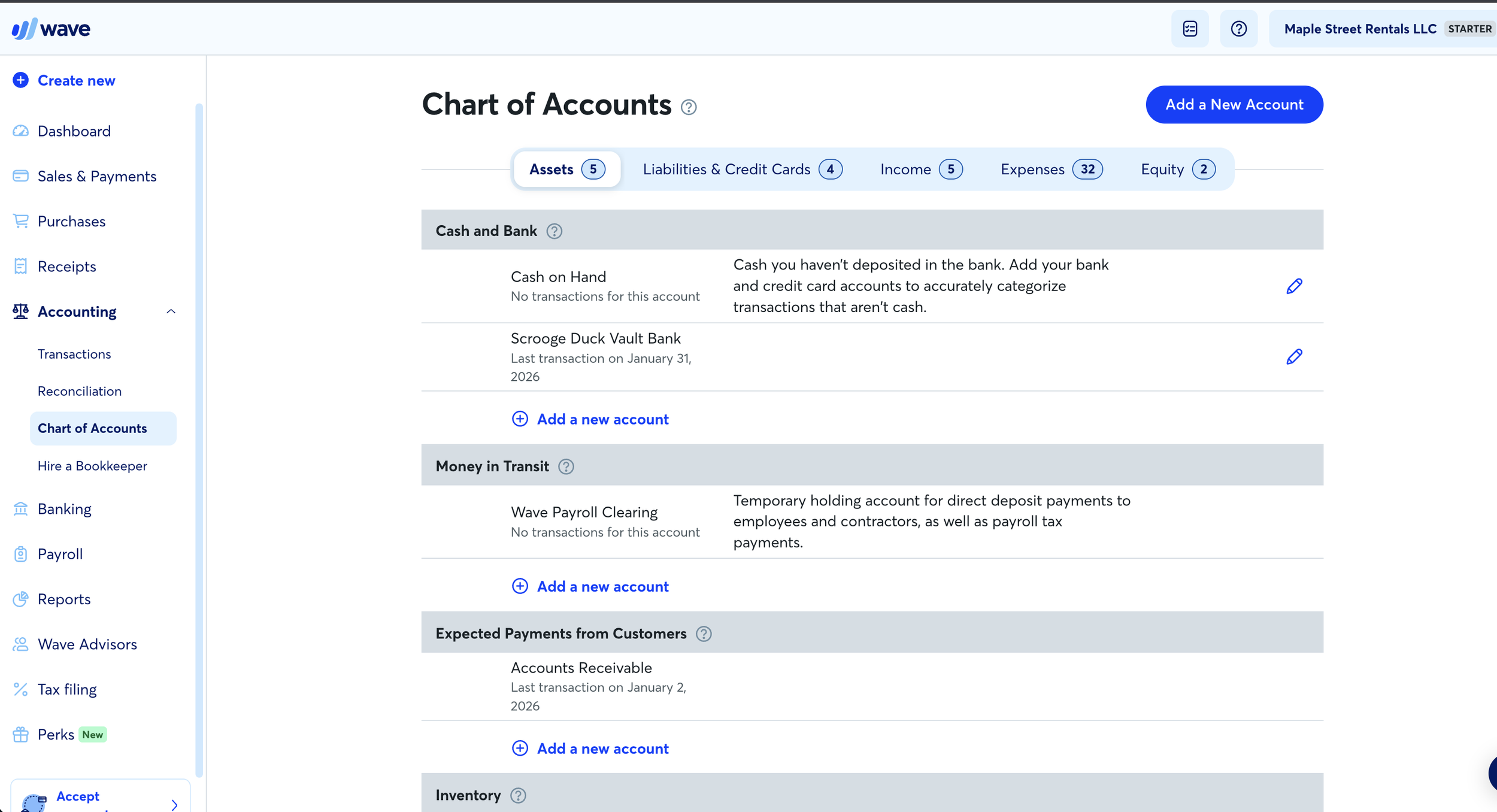
Setting up your chart of accounts thoughtfully from the beginning makes everything else easier. It ensures that your financial reports make sense and that your CPA can use your records without extensive cleanup later.
Adding customers, vendors, and products
Once your chart of accounts is in place, the next step is setting up the contacts and items your business uses regularly.
Customers are the people or businesses who pay you. Vendors are the people or businesses you pay. Products and services are the items you sell or purchase.
In the Maple Street Rentals example, tenants are added as customers. Service providers such as repair companies are added as vendors. Monthly rent is added as a product or service so it can be used on invoices.
This structure allows Wave to connect transactions to the appropriate contacts and categories. Over time, it also makes reporting more useful, because you can see income by customer or expenses by vendor.
Invoicing and receiving payments
Wave includes a built-in invoicing system. You can create invoices manually or set up recurring invoices for regular charges. In the example business, rent invoices are created for tenants.
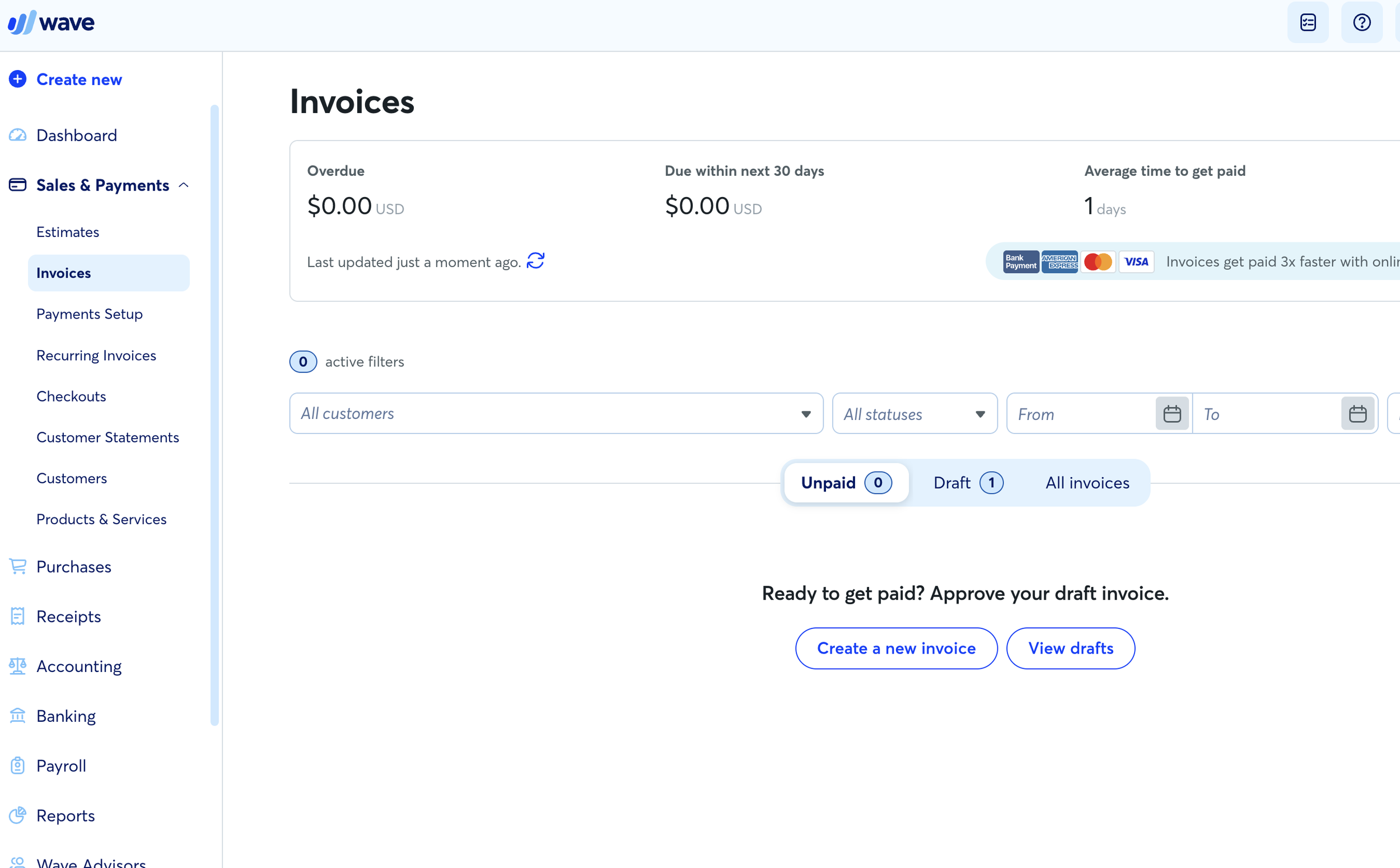
Invoices can be sent through Wave or exported as PDFs. Payments can be recorded manually or processed through Wave’s payment system. If you use Wave Payments, transactions will record automatically when customers pay. If you receive payments through other methods, you can still match them to invoices manually.
Consistent invoicing helps you track what’s owed to your business. It also makes it easier to follow up on unpaid balances.
Recording expenses and bills
On the expense side, Wave allows you to record bills from vendors and track payments. Bills represent money you owe but haven’t paid yet. Expenses represent money that has already left your account.
In the course example, property management fees and repair costs are recorded as bills and then marked as paid once payment occurs. This workflow helps keep track of obligations and ensures that expenses appear correctly on financial reports.
Importing and categorizing transactions
One of the most important parts of bookkeeping is reviewing transactions from your bank and credit card accounts. You can connect accounts automatically with Wave’s pro plan or upload statements manually.
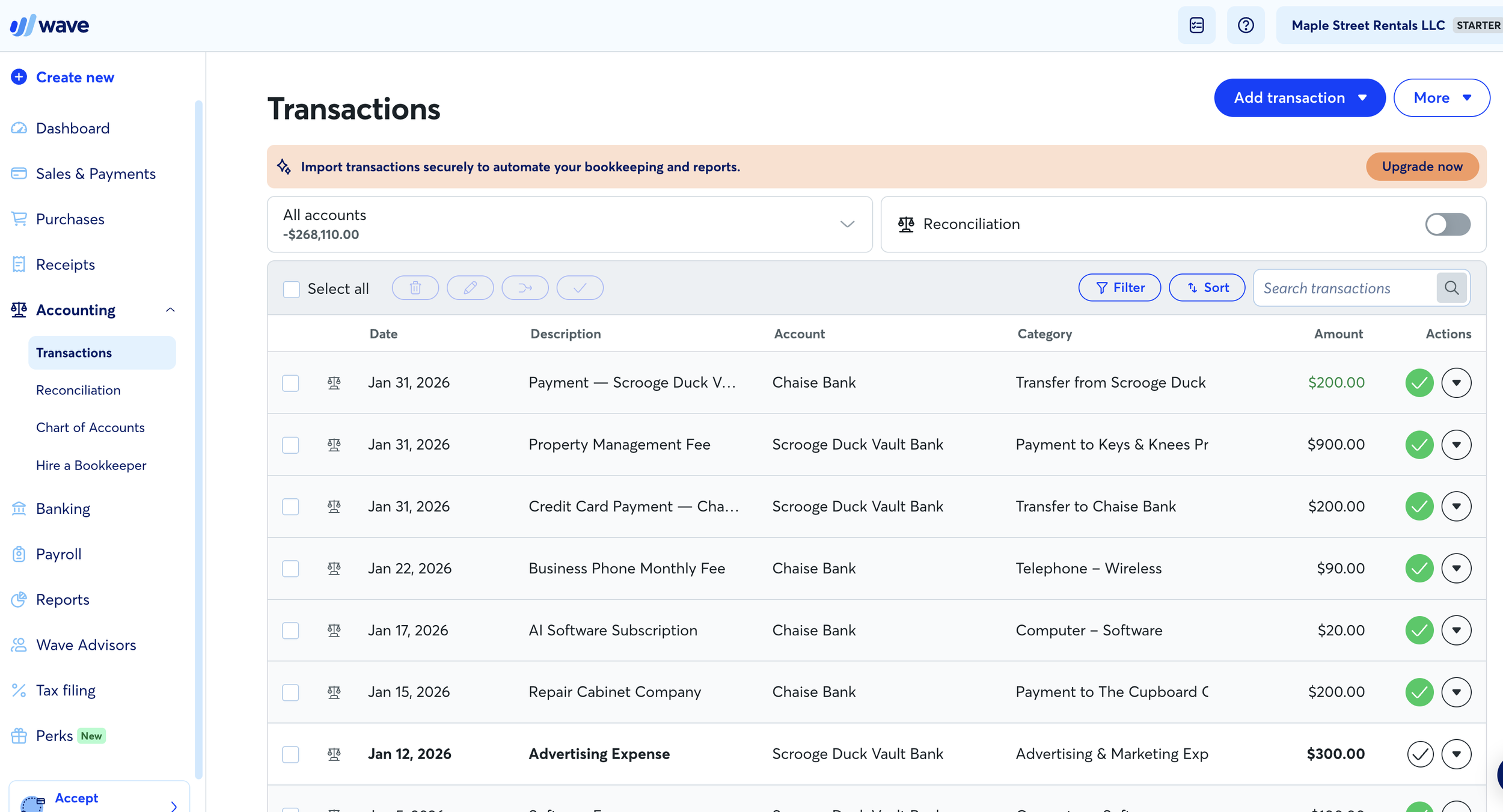
Once transactions are in Wave, each one needs to be categorized. This means assigning it to the correct account in your chart of accounts. Income transactions are categorized as revenue. Expense transactions are categorized according to their type. Transfers between accounts are matched so they don’t appear as income or expenses.
This process is where most of your ongoing bookkeeping time will be spent. The more consistently you review transactions, the easier it becomes.
Matching invoices, bills, and transfers
Not every transaction is a simple income or expense. Some need to be matched to existing invoices or bills. Others represent transfers between accounts.
For example, when a tenant pays rent, the bank deposit should be matched to the invoice issued earlier. When you pay a credit card bill, the payment should be recorded as a transfer rather than an expense.
Learning to recognize these situations helps keep your books accurate. It prevents double counting and ensures that reports reflect reality.
Reconciling your accounts
Reconciliation is the process of confirming that your records match your bank statements. At the end of each month, you compare the ending balance in Wave to the ending balance on your statement. If they match, your books are accurate. If they don’t, you investigate the difference.
Reconciliation is one of the most important habits you can develop. It ensures that every transaction has been recorded correctly and that nothing is missing. Once reconciled, you can trust your financial reports.
Reviewing financial reports
After transactions are categorized and accounts are reconciled, you can review your financial reports. The most important reports are the profit and loss statement, the balance sheet, and the cash flow statement.
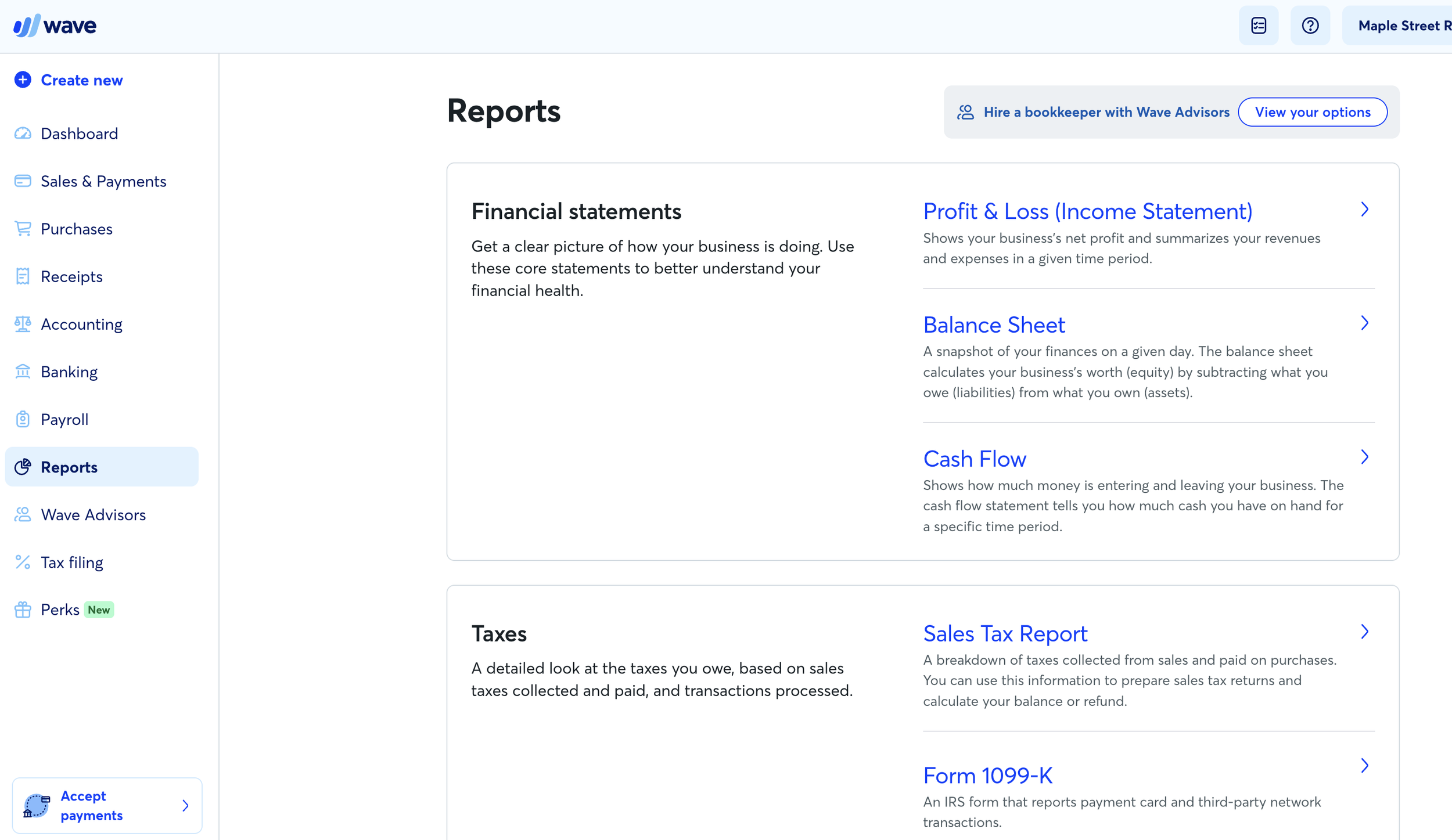
The profit and loss statement shows income and expenses over time. The balance sheet shows what the business owns and owes at a specific moment. The cash flow statement shows how money moves in and out of the business.
These reports provide insight into your business’s financial health. They help you understand profitability, monitor expenses, and plan for the future.
Building a sustainable bookkeeping routine
The best bookkeeping system is the one you maintain consistently. Rather than letting transactions pile up for months, set aside time each week or month to review them. Categorize transactions, match invoices and bills, and reconcile accounts regularly.
This routine keeps your books clean and prevents stress later. It also ensures that your financial data is always ready when you need it.
When to consider professional help
Some business owners enjoy managing their own books. Others find that bookkeeping distracts them from the work they actually want to do. If you reach a point where bookkeeping feels overwhelming or time-consuming, hiring a professional can be a worthwhile investment.
A bookkeeper can maintain your records, reconcile accounts, and prepare reports so you can focus on running your business. Even if you continue doing your own bookkeeping, understanding the basics helps you collaborate more effectively with a professional when needed.
Final thoughts
Wave Accounting remains one of the most accessible bookkeeping tools available for small businesses in 2026. Its free plan provides a solid foundation for tracking income, expenses, and financial reports without a monthly software cost.
By following the Maple Street Rentals LLC example in the course, you can see how transactions flow through the system and how financial statements come together. With consistent use and a clear structure, Wave can help you maintain clean, reliable books and gain a clearer understanding of your business finances.
If you’re ready to move beyond spreadsheets and start managing your books more effectively, this course and guide should give you the confidence to get started.